
Back to StackCP Hosted Email
Step One:
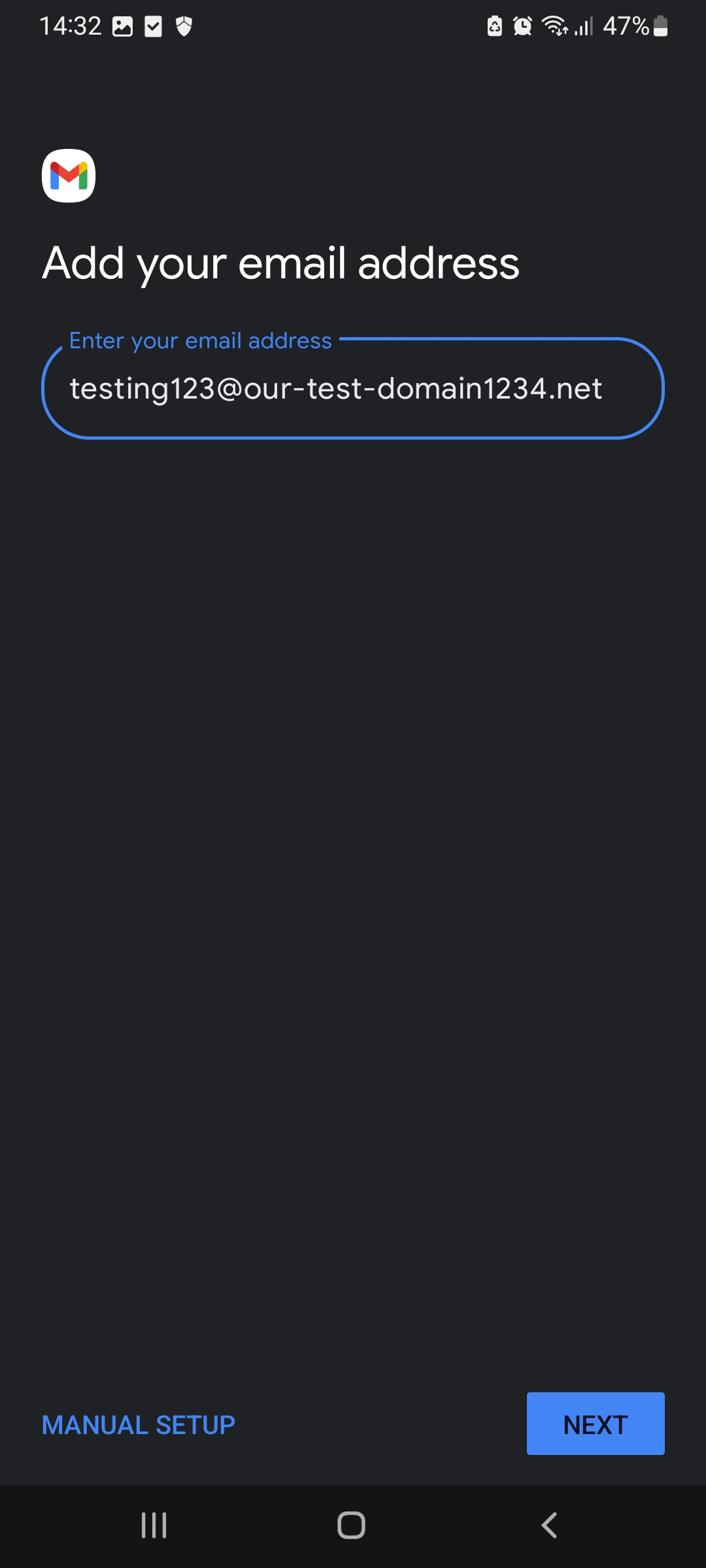
3. Enter your password for that email address and click Next
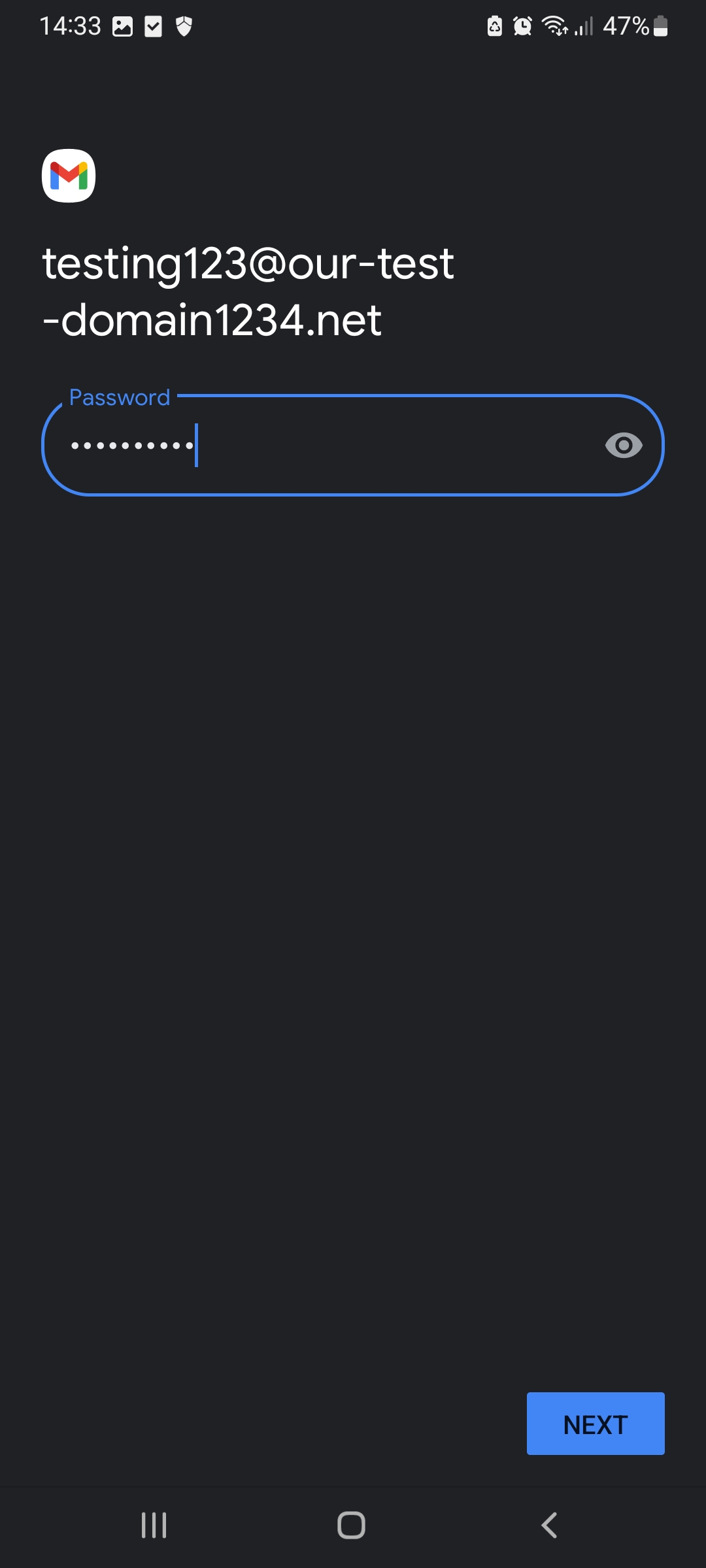
4. Change the IMAP server to : imap.stackmail.com
and click Next
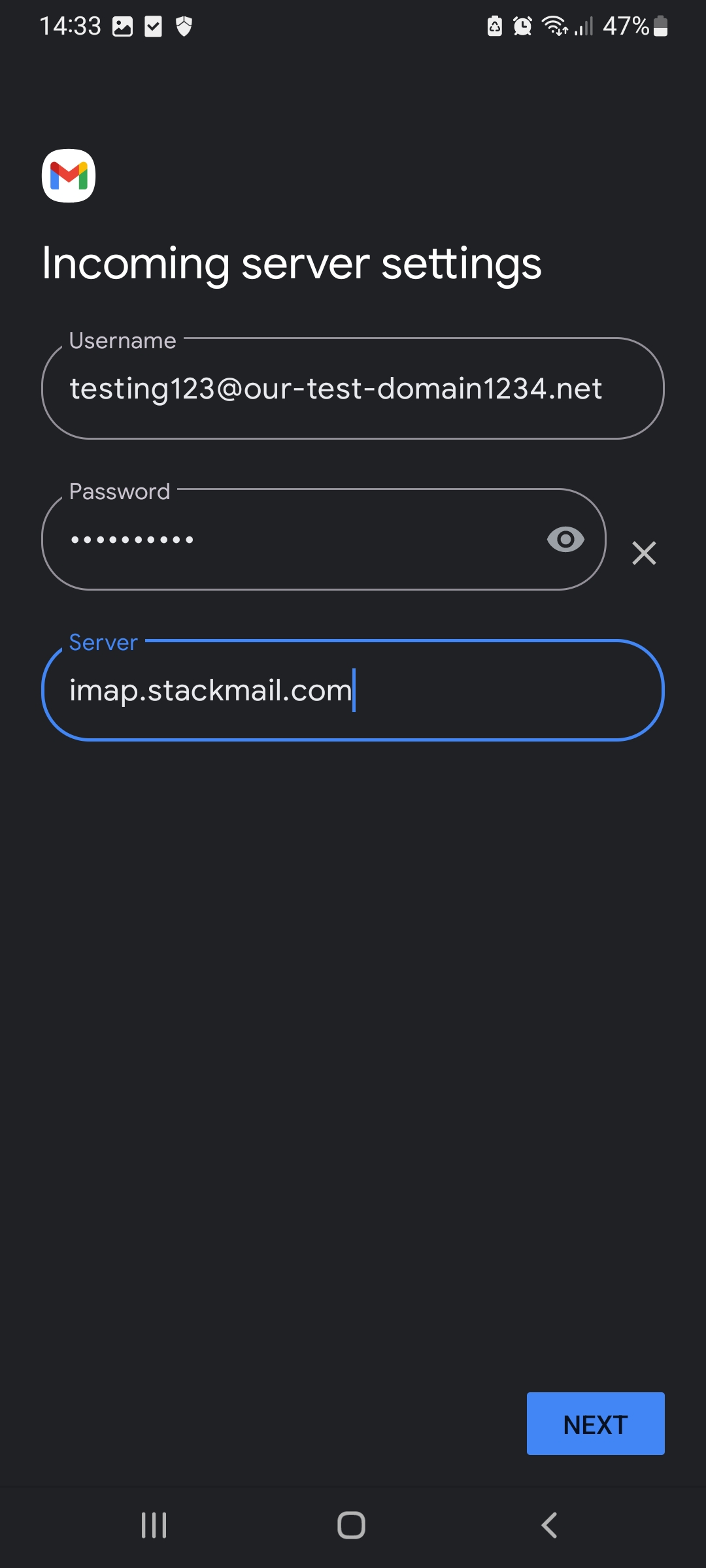
5. The next screen requests the SMTP details. Use your full email address for the username, and your email address password for the password. Make sure that 'require Sign-in' is enabled and change the SMTP server to: smtp.stackmail.com and click Next
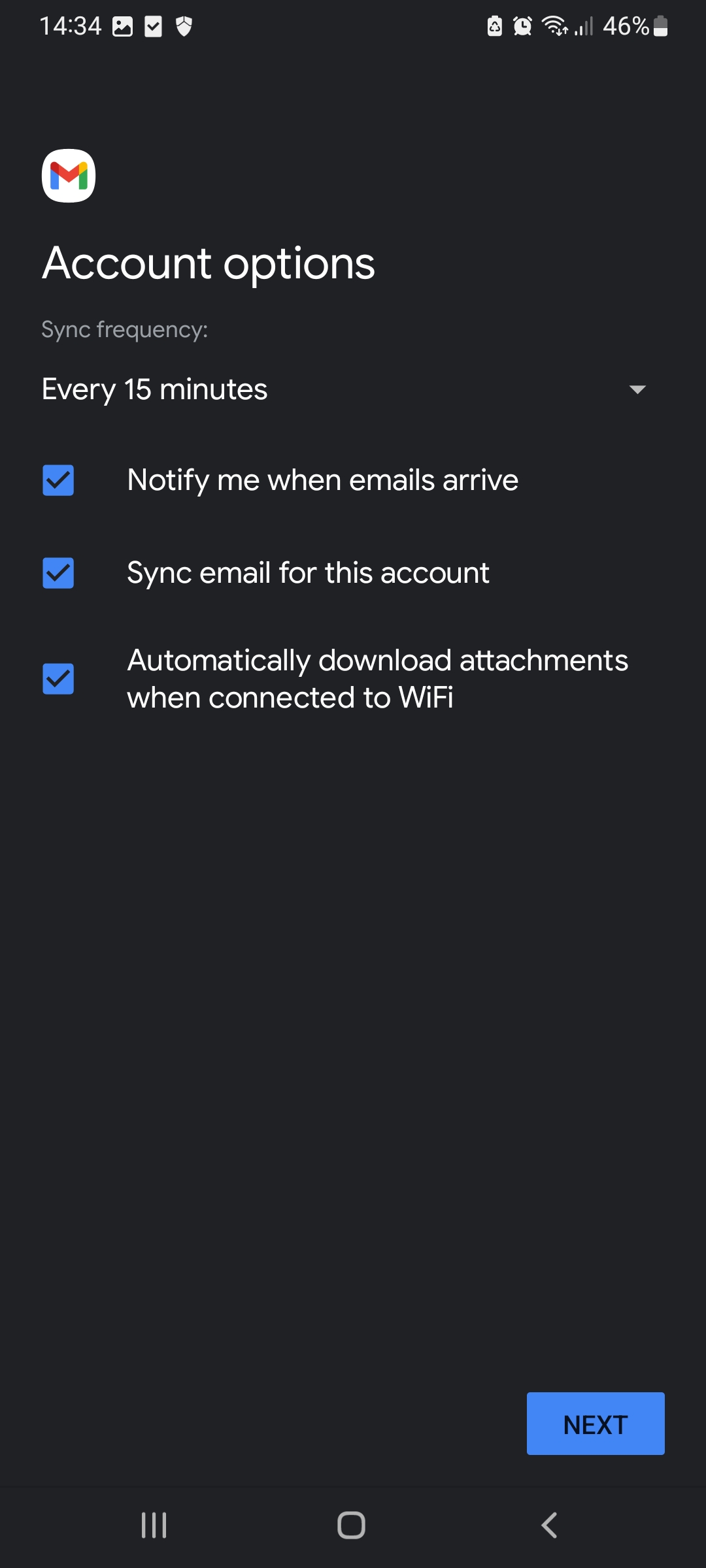
7. The next screen will list the sync features that you can enable or disable depending on your requirements. Then click Next
How to setup StackCP email accounts on an Android mobile phone
In this section, we will detail how to use the email accounts that you have set up within the UK2 CHI account on your Android phone. This document uses screenshots to show you the necessary steps of setting up an email account through the Gmail app. The Stackcp email makes use of the Auto-discover feature and below are the steps to help guide you through the setup process on your Android Phone.
**All pictures are for reference only. The actual layout of your interface may differ from the images below**
This article was created using the screenshot feature on a Android device running Android OS 13 .
Step One:
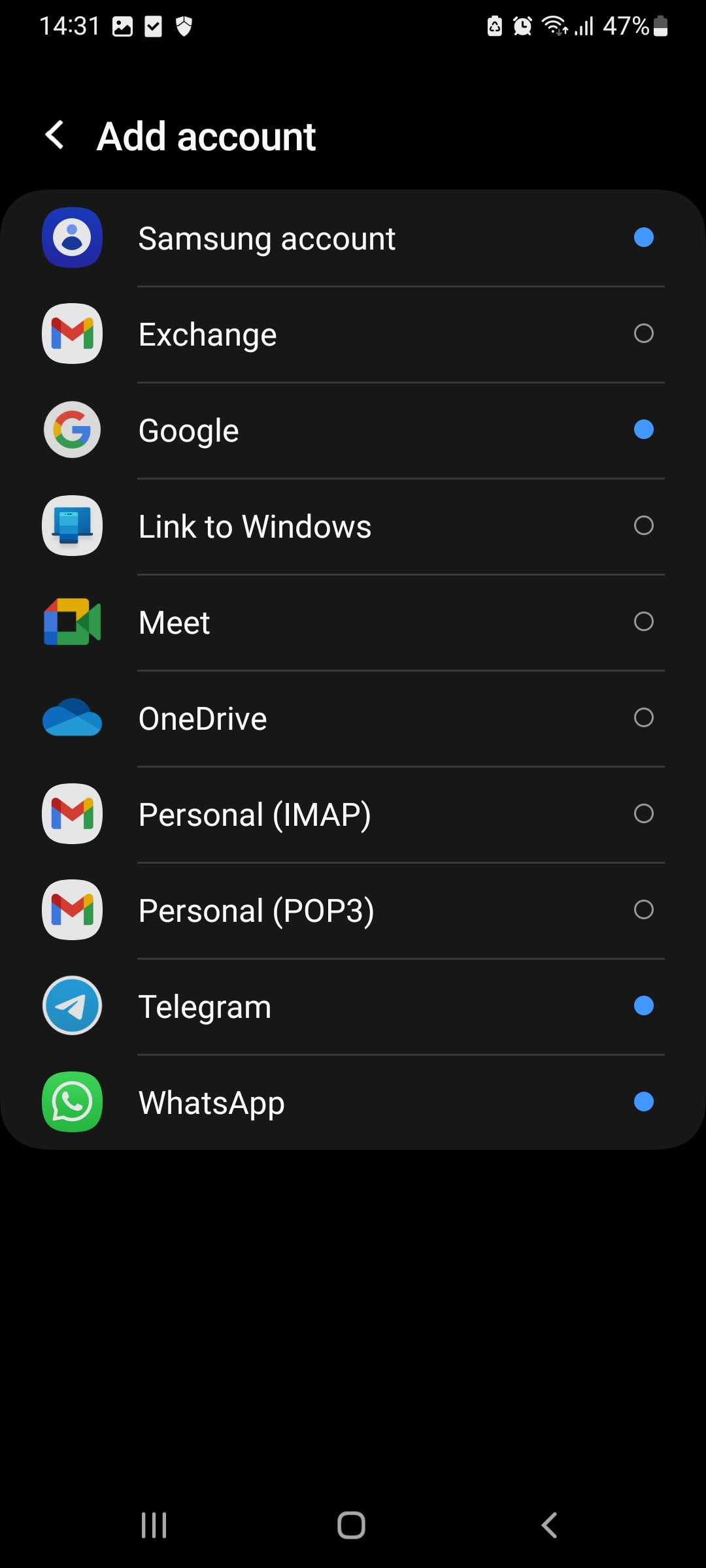
1. Click on the Gmail mail app and select the option to add a new account, then select 'Personal IMAP' as the type.
2. Enter your email address. Then click click 'Next'
2. Enter your email address. Then click click 'Next'
3. Enter your password for that email address and click Next
4. Change the IMAP server to : imap.stackmail.com
and click Next
5. The next screen requests the SMTP details. Use your full email address for the username, and your email address password for the password. Make sure that 'require Sign-in' is enabled and change the SMTP server to: smtp.stackmail.com and click Next
7. The next screen will list the sync features that you can enable or disable depending on your requirements. Then click Next
8. The next page will ask you to fill in your Name, which will be placed on emails that you send out. After filling that in, click Next to finish the wizard.