
Import products from a CSV file
Importing products from a CSV file is ideal for importing products in bulk, or even when updating the stock of your existing products.
To import products:
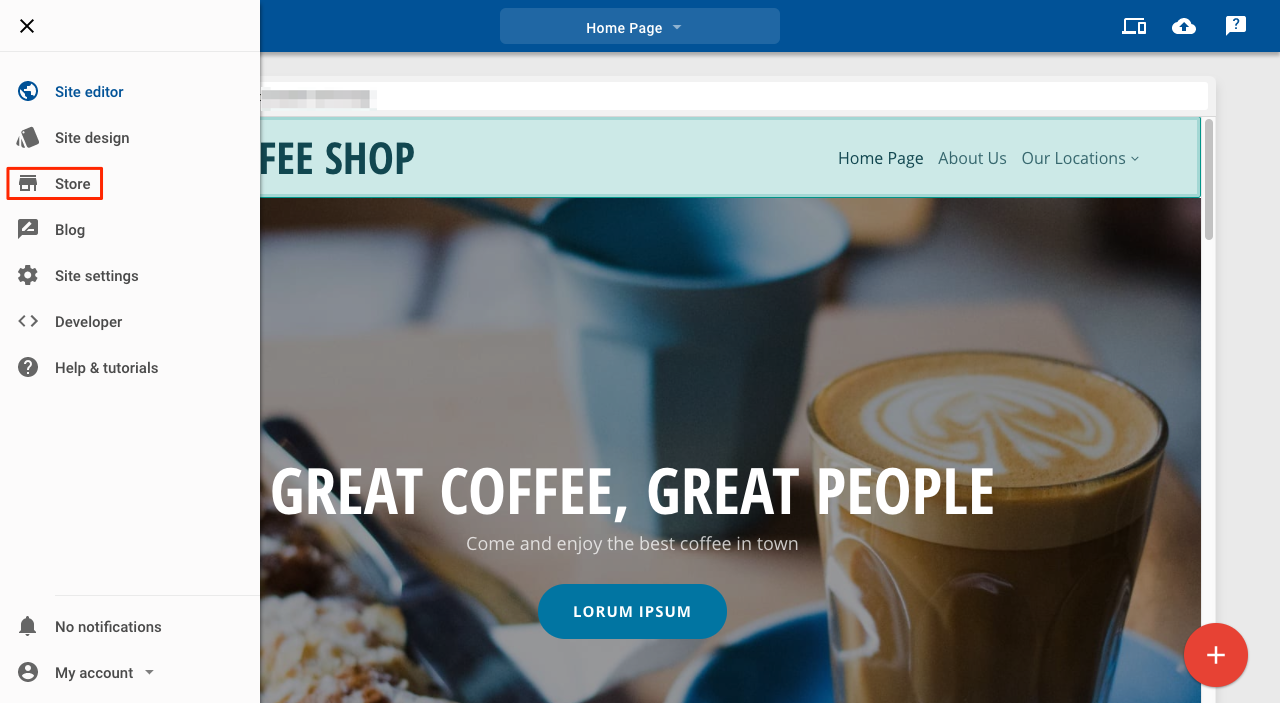
1. Click Store
2. Click Product import
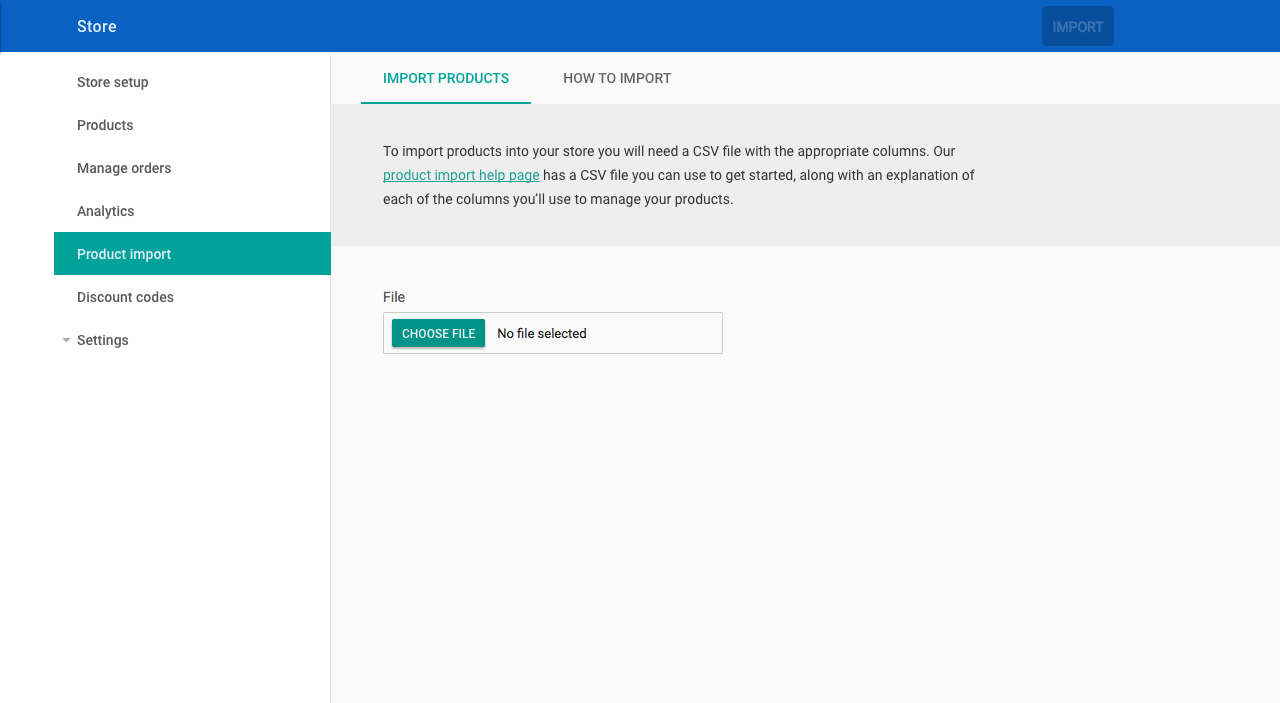
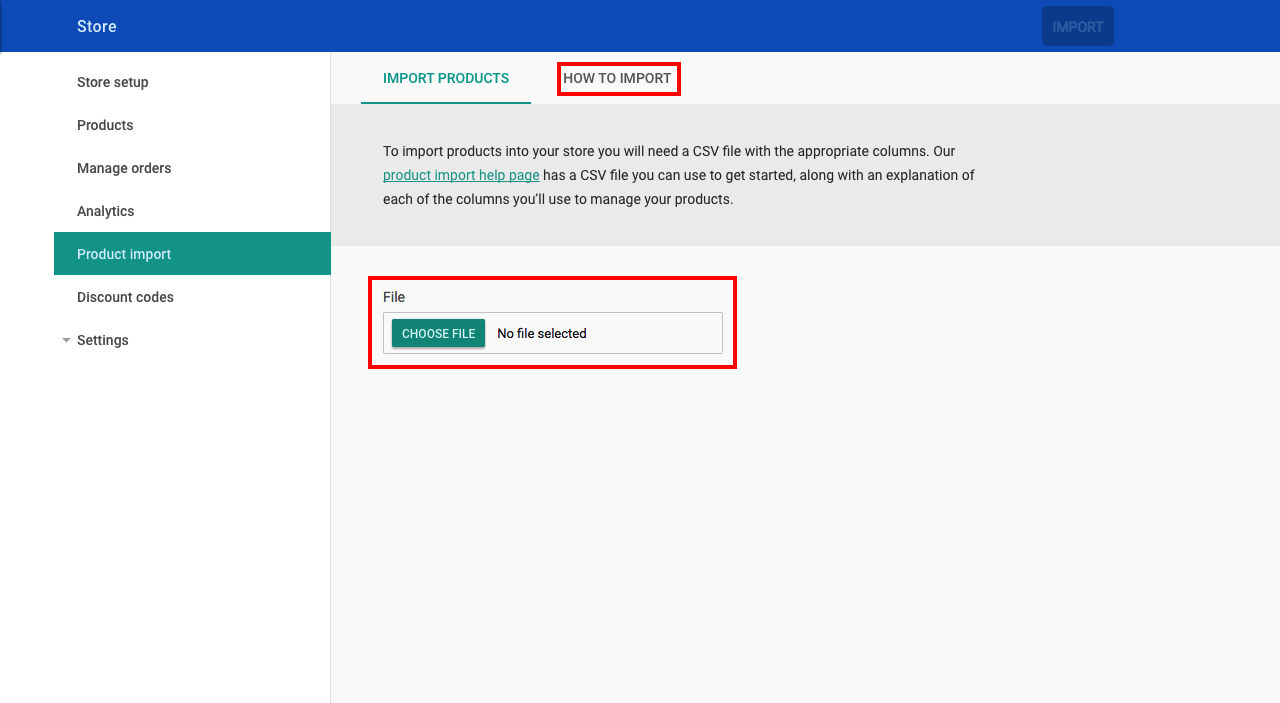
To import your products, upload your CSV file. For further information about the headers used in the CSV, click on How to Import on the product import page. This page also has an example CSV available if you would like to see how to structure the CSV file.
Notes about this feature:
- The first row in the CSV is reserved for the header columns. These must be in the correct order and spelled correctly.
- The file must be saved in CSV format (.csv).
- The main product 'Handle' (which contains all of the product information, title, long description, etc.) must appear in the CSV before any of its variation rows.
- For each group of the product 'Handle', the import will update the product if the handle exists already or create a new handle that has not been imported previously.
- SKU must be unique. So creating a new product with an existing SKU will result in the import producing an error.
- Images must have a valid URL.
- 'Tags', 'Option Names' ,and 'Option Values' must be separated by semicolons.
- 'Visible', 'Stock Track', and 'Stock Unlimited' have to be set to 'yes' or 'no'.
- 'Option Values' and 'Option Names' must have the same amount of entries.