
Back to StackCP Hosted Email
Step One: Login to your Webmail Inbox


In this section, we will detail how you can clear space in your mailbox by saving old email to your personal or local computer. Follow the steps below to save the contents of your mailbox, or individual emails, to your computer:
Step One: Login to your Webmail Inbox
Login to your email account. This can be done by going to the URL: https://stackmail.com. You will log in using your email account as the username and the email account password for the password. Once you have logged in you will be able to see all of your emails within your account.
Step Two: Download Your Emails As An .eml File
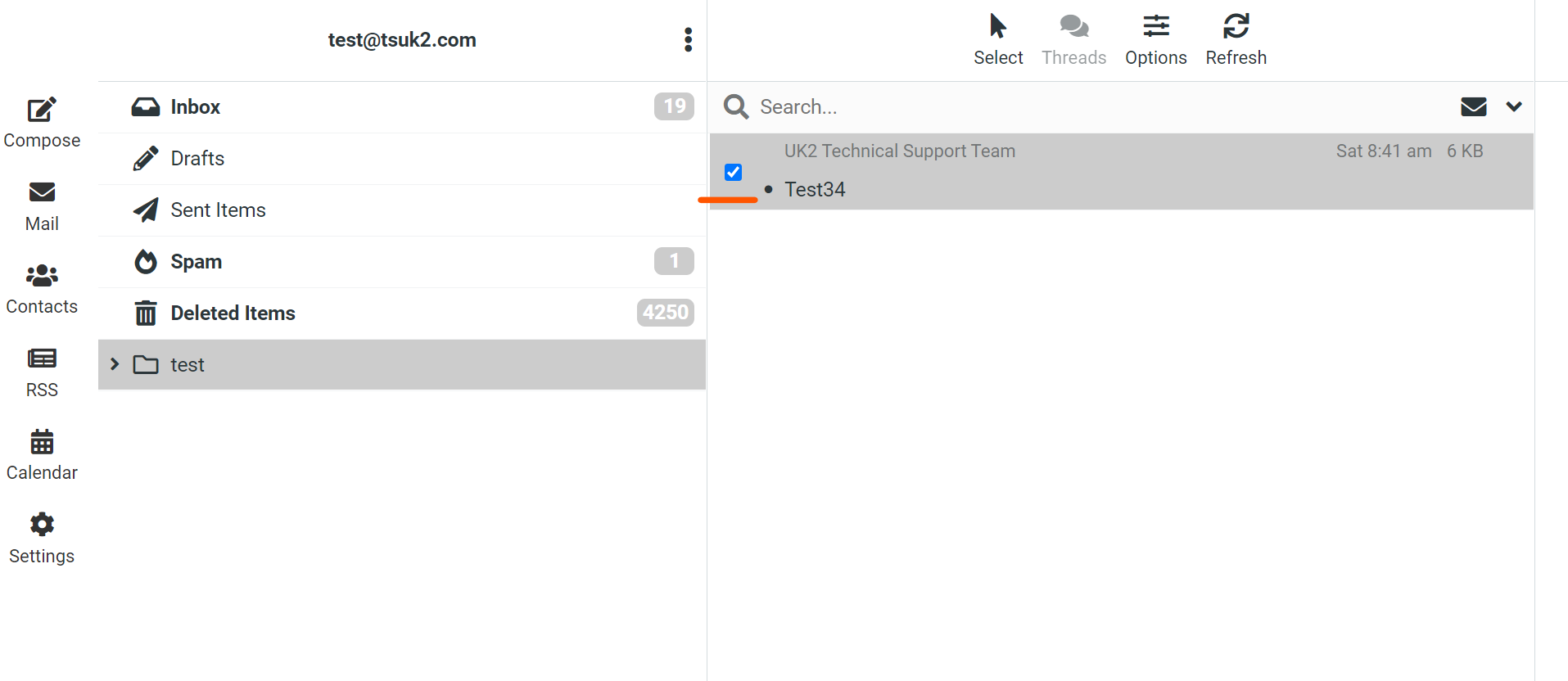
1. Find the email within your inbox that you want to download. You will then click on the box to the left of the email until a check mark fills the box.
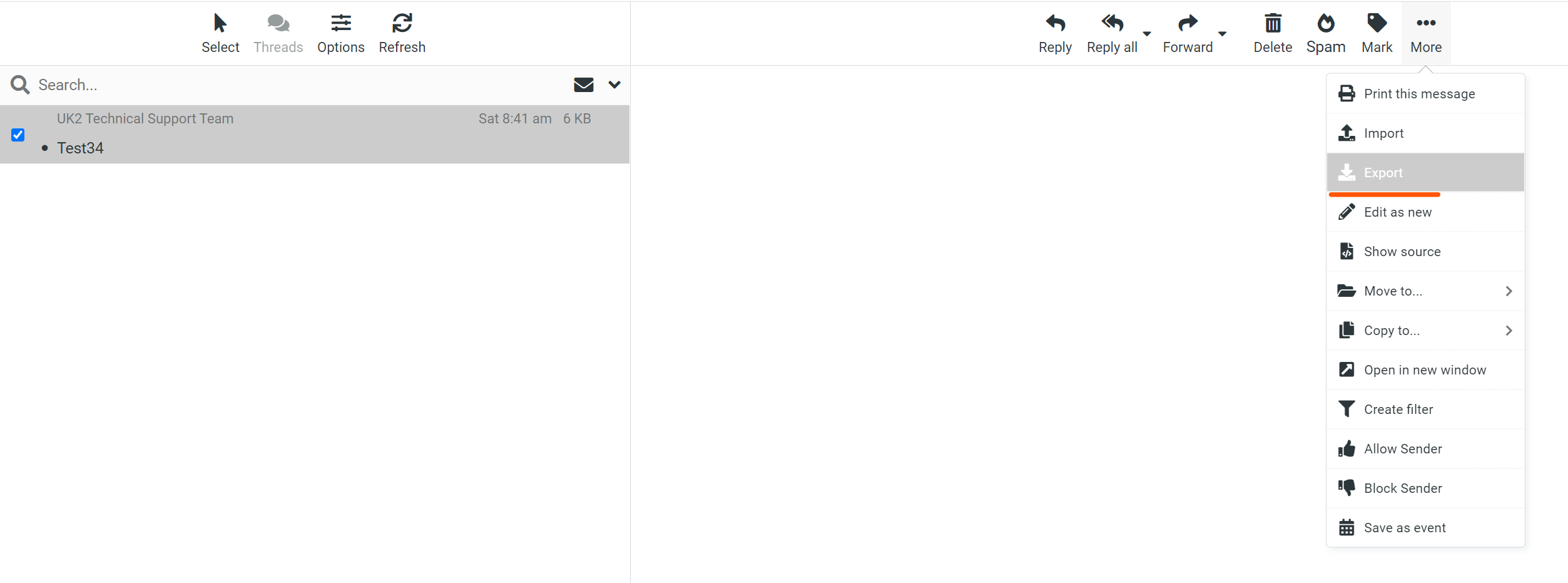
2. Once you have checked the box you will then click on the "More" button. You can then click "Export" which will then download the email in .eml format and store this on your local computer.
Please be aware that Webmail only allows for one email to be downloaded at once