
Back to DNS
How to add an SRV Record
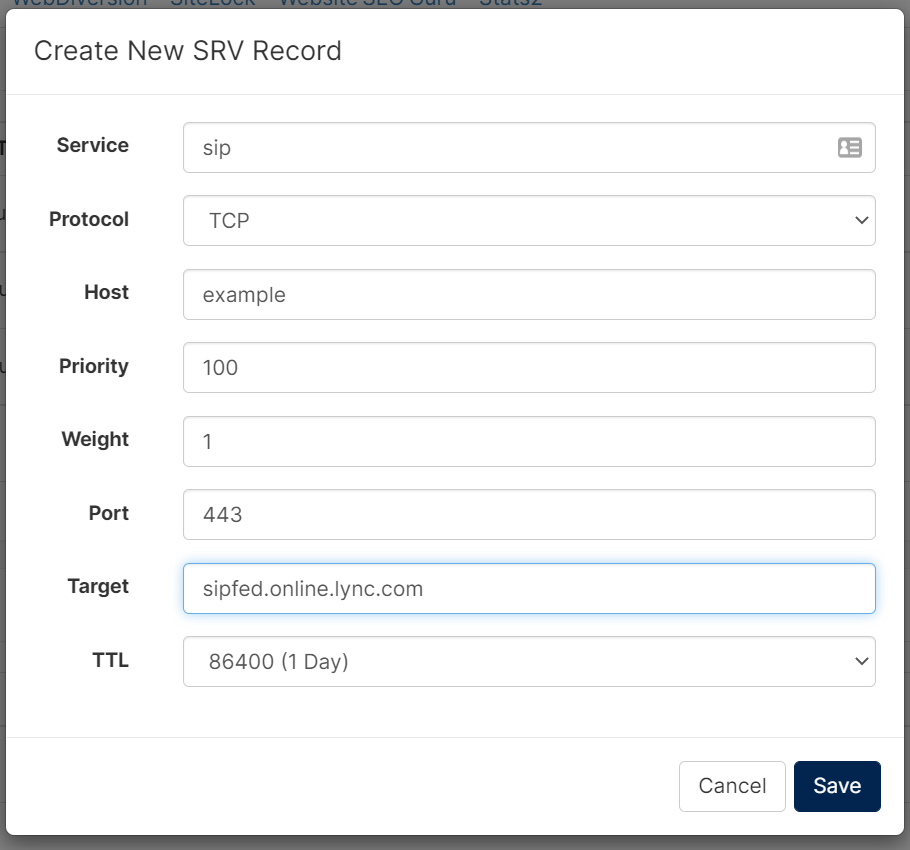

In this section we will provide instructions on how to correctly enter the SRV record information within the DNS section of your CHI account. Please note that changes made to the DNS can take up to 24 hours to propagate before taking effect.
If you are unfamiliar with editing DNS, please see this guide: https://www.uk2.net/knowledgebase/article/how-to-edit-dns-via-chi/
How to add an SRV Record
The SRV record information to enter within your domain’s DNS settings will likely include a “_” at the beginning of the “Service” and “Protocol” fields. Within CHI, the leading “_” is not necessary, as shown in this image.
When the record is saved, it will look similar to this in your DNS page:
If you get stuck or have any questions feel free to contact our technical support team. They will be happy to assist you.