
Knowledgebase
Search Articles
Categories
Cloud/VPS- Email-Email Accounts-Migrations and Transfers-Email Migrations
- Email-Email Accounts
- SSL Certificates
- Email-Email Accounts-Spam & Junk Email
- Programming Languages-PHP
- Programming Languages-ASP
- Web Hosting-Site Management
- Email-POP3/IMAP
- Web Hosting-Website Extras
- Web Hosting-Website Problems
- SSH
- Email-Spam & Junk Email
- Migrations and Transfers-Email Migrations
- Email-Webmail
- FTP-Migrations and Transfers-Email Migrations-Web Hosting-Site Management
- FTP
- Domain Names-Domain Transfers
- Web Hosting-Site Management-Website Extras-Website Problems
- Web Hosting-Site Management-Website Extras
- Domain Names-Domains-Web Hosting-Site Management-Website Extras
- Domain Names-Domains-Web Hosting-Site Management
- Domain Names-Domains-Web Hosting-Site Management-Website Extras-WordPress
- Domain Names-Domains
- Databases-MySQL
- Databases-MySQL-Domain Names-Domains-Web Hosting-Site Management-Website Extras
- CDN
- Databases-MS-SQL
- Programming Languages-PHP-Web Hosting-Site Management
- Databases-MySQL-Email-Email Accounts-FTP-Web Hosting-Site Management
- Domain Names-Domain Transfers-Domains
- Domain Names-Domain Registrations & Renewals-Domains
- WordPress
- Cloud Servers
- Managed VPS
- Virtual Private Server
- Sales Support
Back to Using Website Builder
Website Builder Quick Start
How To Add Essential Site Information
Change The Look Of Your Site
Add Forms, Maps And Other Content
Languages, currencies and units
Language
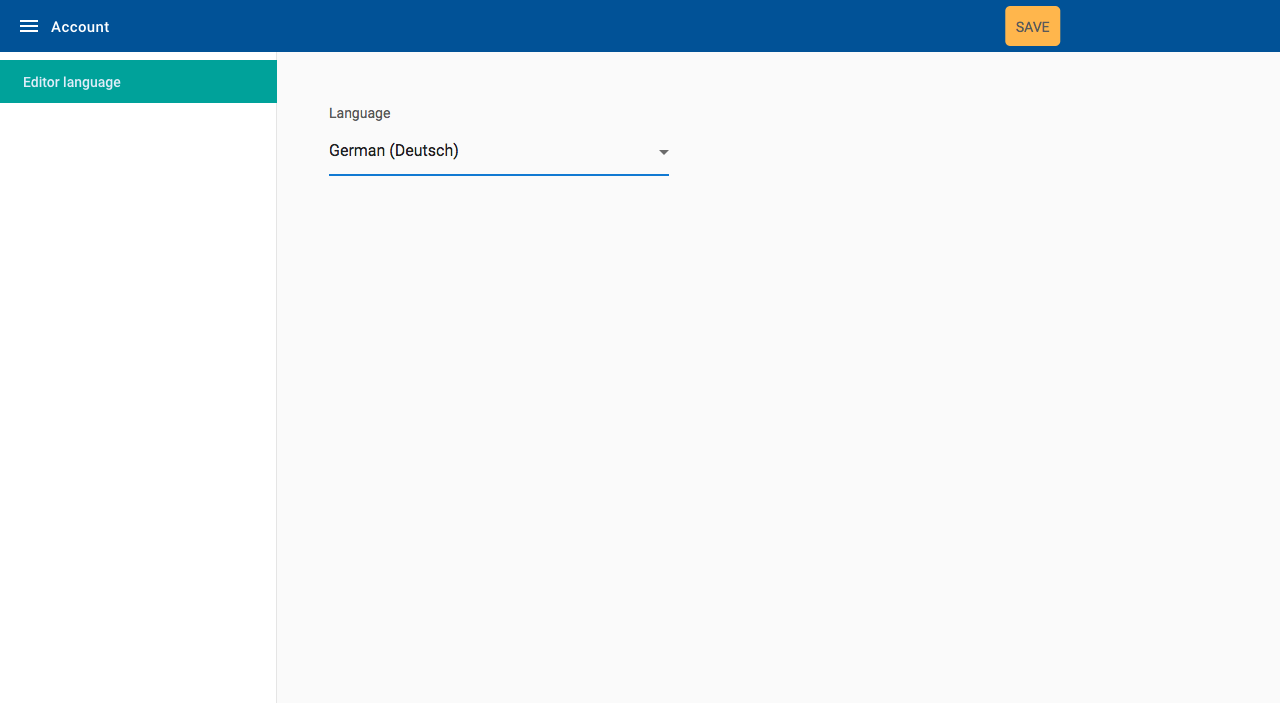
Changing the language can be done both in the site editor and on the site you are creating.
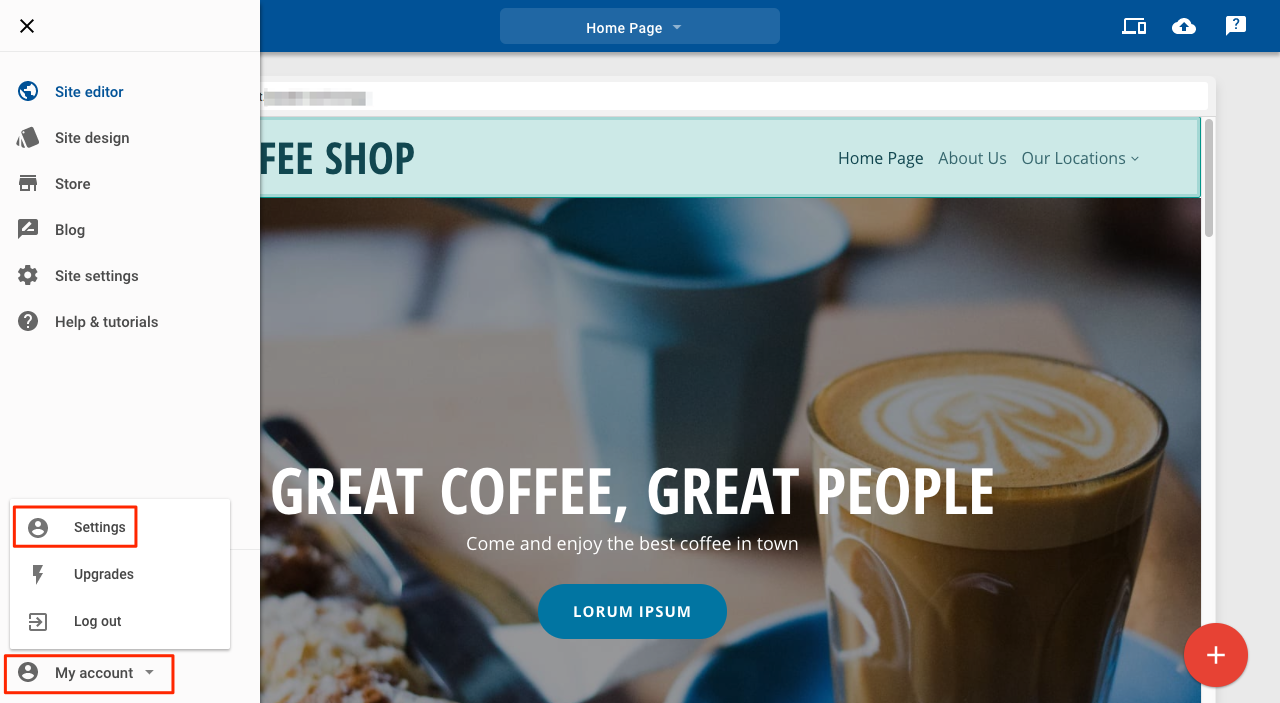
To change the language in the editor:
1. Click the Main menu icon
2. Click My account
3. Click Settings
4. Select your preferred language from the Language dropdown list
5. Click Save
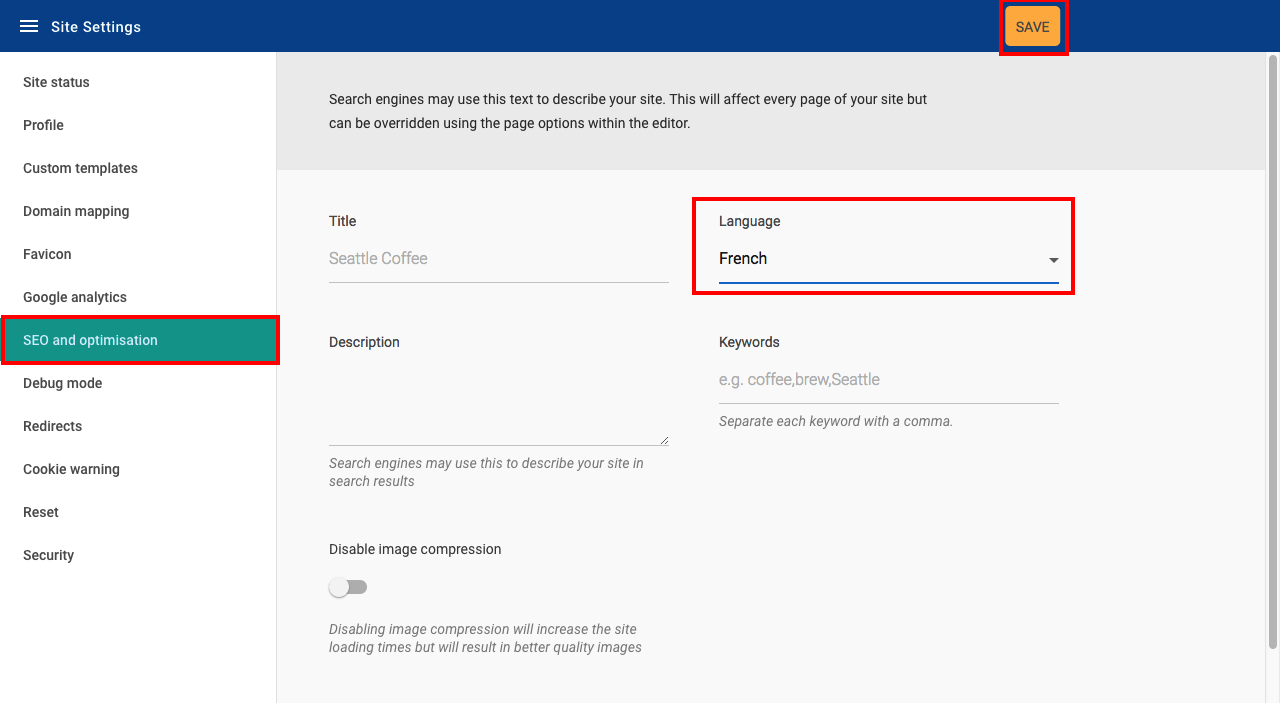
To change the language of your site:
- Click Site settings
- Click SEO and optimisation
- Select your preferred language from the Language dropdown list
- Click Save
Currency
Currencies can be set for two different transaction types:
- For transactions made through the PayPal button
- For transactions made through your store
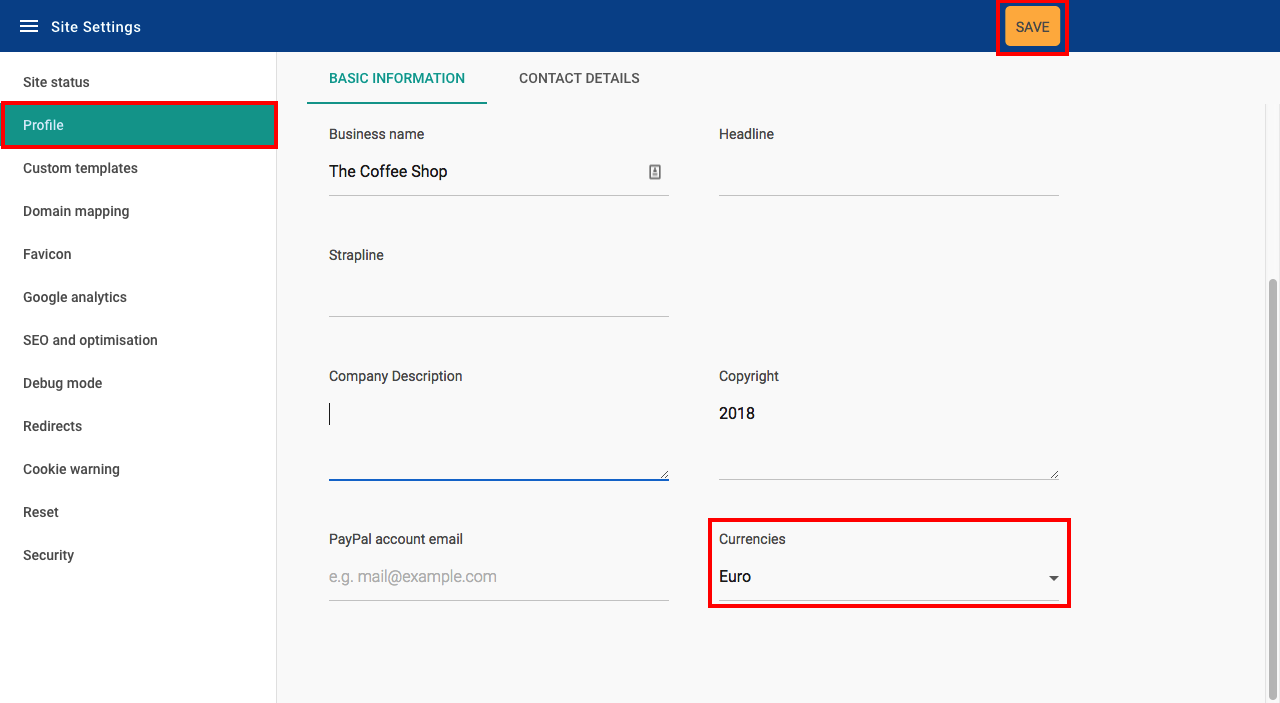
To change the currency of the PayPal button:
- Click Site settings
- Click Profile
- Select your preferred currency from the Currency dropdown list
- Click Save
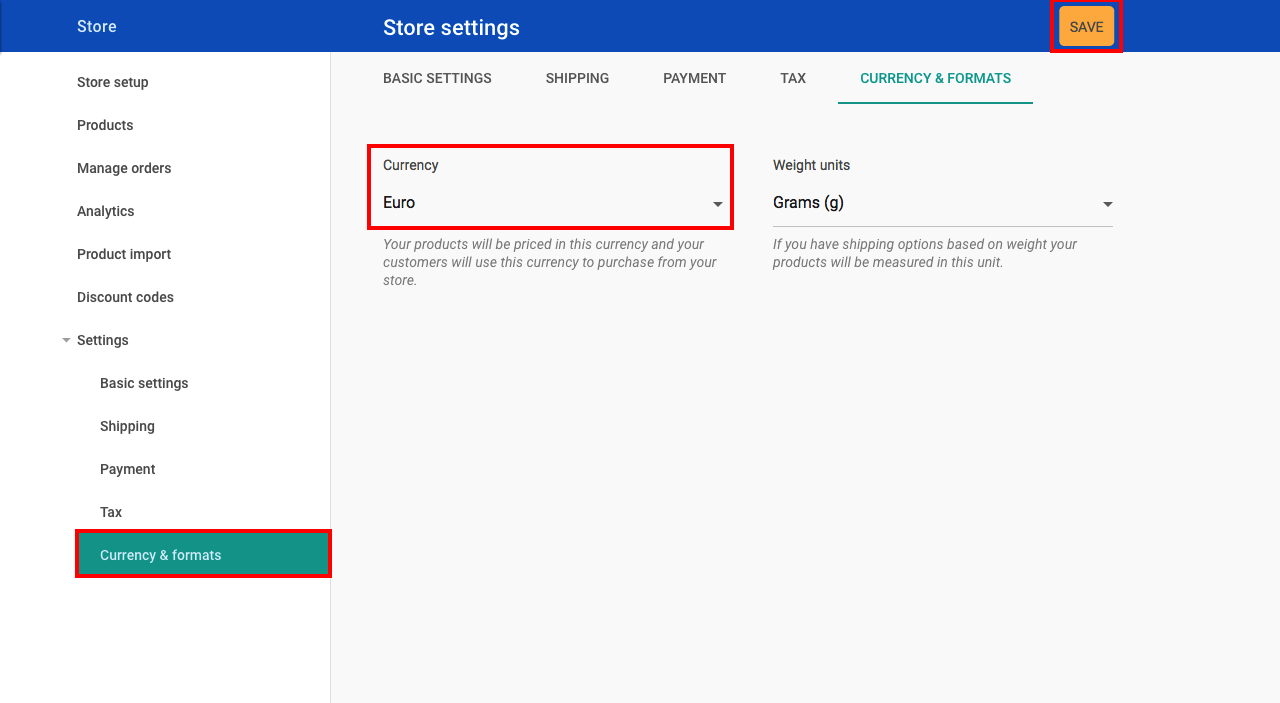
To change the currency of your store:
- Click Store
- Click on Settings
- Click on Currency & formats
- Select your preferred currency from the Currency dropdown list
- Click Save
Units
Units are used to determine the price of shipping products in your store.
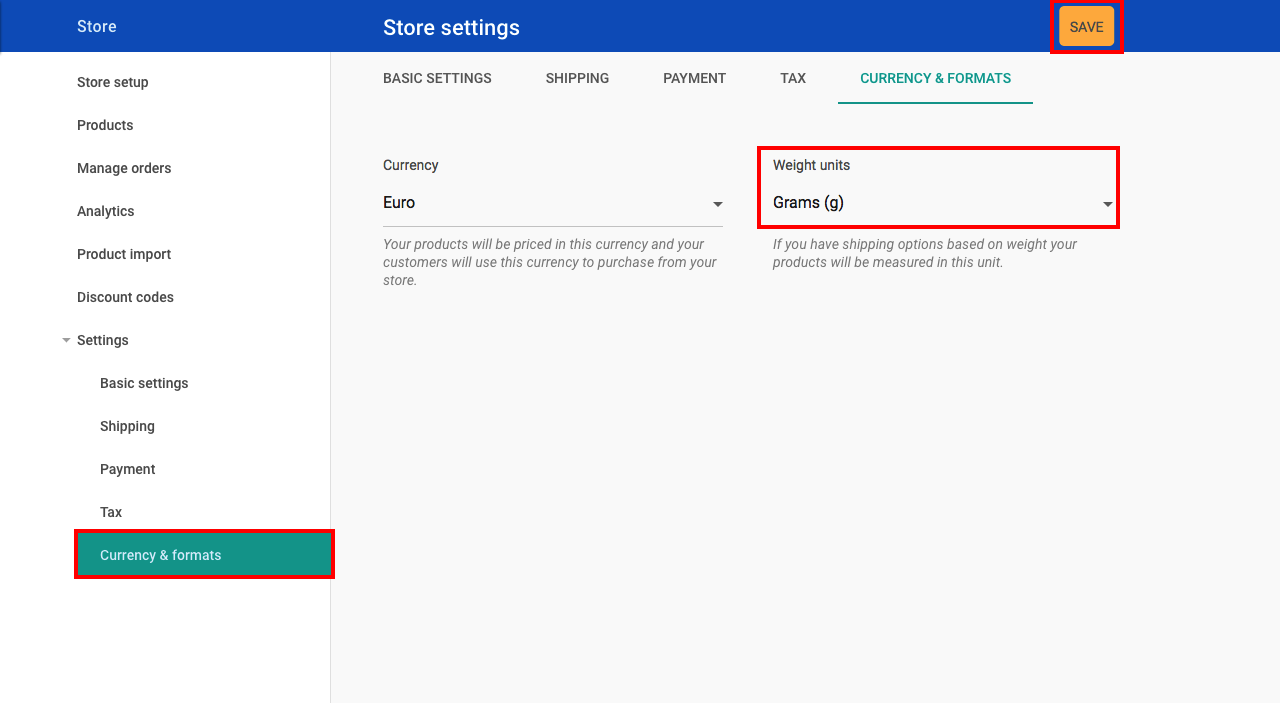
To change the weight unit used in your store:
- Click Store
- Click Settings
- Click Currency & formats
- Select your preferred weight unit type from the Weight units dropdown list
- Click Save
Related Articles
Website Builder FAQsWebsite Builder Quick Start
How To Add Essential Site Information
Change The Look Of Your Site
Add Forms, Maps And Other Content
Can’t Find what you need?
No worries, Our experts are here to help.